
Whether you’re looking to keep an eye on your home, monitor an office, or build a DIY surveillance setup, having the right camera can make all the difference. ZoneMinder, a popular open-source video surveillance system, gives you the flexibility to create a custom security network without the hefty price tag of commercial systems. But to get the most out of it, selecting a camera that works seamlessly with ZoneMinder is crucial. From IP cameras with crystal-clear resolution to ONVIF-compliant devices that offer easy integration, knowing the right features to look for can save you time, money, and frustration.
When choosing a ZoneMinder-compatible camera, there are several important factors to consider. RTSP streaming ensures smooth video feeds directly to your ZoneMinder server, while PoE (Power over Ethernet) cameras simplify installation by combining power and data over a single cable. On the other hand, Wi-Fi cameras offer flexible placement without worrying about wiring but may require stronger network setups for uninterrupted recording. By understanding these options, you can make an informed choice that balances performance, reliability, and convenience—helping you build a surveillance system that truly keeps you in control.
Why Camera Compatibility with ZoneMinder Matters
Table of Contents
Choosing a camera that works seamlessly with ZoneMinder is more than just picking a device—it’s about ensuring reliability, smooth integration, and optimal performance for your surveillance system. ZoneMinder supports a variety of camera types, but not every camera is created equal. ONVIF-compliant cameras make setup easy, allowing ZoneMinder to automatically detect and configure the device. RTSP streaming is another key feature, enabling high-quality live video feeds and recording without lag. Additionally, cameras that support ffmpeg source types offer flexibility, letting you integrate older models or specialized cameras that might not natively appear on ZoneMinder’s interface. Ensuring compatibility upfront prevents headaches like missed frames, connectivity drops, or incomplete recordings.
Camera features like motion detection and low-light performance play a critical role in real-world surveillance. You want cameras that can accurately trigger alerts without false alarms and capture clear images even in dim environments. Many top brands, including Axis, Hikvision, Amcrest, Reolink, Ubiquiti, TP-Link, D-Link, Foscam, and Bosch/Pelco, have models that pair reliably with ZoneMinder. By selecting cameras known for smooth integration and robust performance, you’re not just buying hardware—you’re investing in a security system that delivers peace of mind, day and night.
9+ Best Camera for ZoneMinder |
Comparison Table 2026
| Product | Product Name | Key Features | Main Benefits | Price |
|---|---|---|---|---|
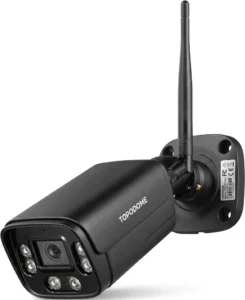 |
Topodome ONVIF Wi‑Fi Bullet Security Camera |
|
|
|
 |
SV3C 5MP Wi‑Fi IP Camera Outdoor |
|
|
|
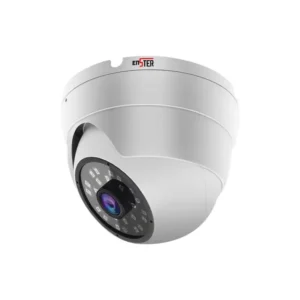 |
ENSTER 4K PoE IP Camera |
|
|
|
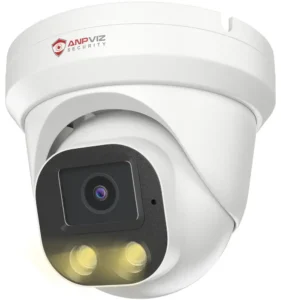 |
Anpviz 4MP PoE IP Turret Camera |
|
|
|
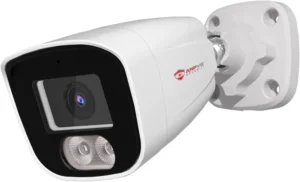 |
Anpviz 6MP PoE IP Camera |
|
|
|
 |
Amcrest 5MP Turret POE Camera |
|
|
|
 |
TP‑Link Tapo 1080p Pan/Tilt Wi‑Fi Camera |
|
|
|
 |
SV3C 4K PoE PTZ IP Camera |
|
|
|
 |
ZUMIMALL 5MP Outdoor Camera 2‑Pack |
|
|
Top 9+ Best Camera for ZoneMinder |
Reviews 2026
1. Topodome ONVIF Wi‑Fi Bullet Security Camera

The Topodome ONVIF Wi‑Fi Bullet Security Camera is designed for homeowners, small business owners, and DIY security enthusiasts who want high-quality surveillance without the hassle of complicated wiring. Combining sleek bullet-style design with robust functionality, this camera delivers crisp 1080p HD video, making it easy to monitor every corner of your property. Equipped with ONVIF compatibility and RTSP streaming, it integrates seamlessly with ZoneMinder and other open-source security platforms. Its Wi-Fi connectivity ensures flexible placement, while advanced motion detection and low-light capabilities provide round-the-clock monitoring. Whether you’re keeping an eye on your front porch, driveway, or backyard, Topodome makes reliable surveillance simple, effective, and professional.
Resolution & Video Quality
The Topodome camera offers 1080p full HD resolution, delivering sharp and detailed video that captures every moment clearly. The high-definition video quality ensures that faces, license plates, and small details are easily visible, which is critical for both home security and office monitoring. Coupled with smooth frame rates, it reduces motion blur and provides real-time clarity. This makes it an ideal solution for anyone who needs to record and review footage without losing critical details. Its advanced image processing ensures vibrant colors and accurate contrast, so even in varying lighting conditions, your surveillance remains reliable.
ONVIF & RTSP Compatibility
ONVIF compliance is a game-changer for anyone using ZoneMinder, and the Topodome camera excels in this department. By adhering to the ONVIF standard, it allows automatic discovery and integration with compatible software, reducing setup time and avoiding connectivity headaches. RTSP streaming ensures a smooth video feed with low latency, so live monitoring and recording are seamless. This camera is built to work effortlessly with third-party NVRs and open-source systems, giving users the flexibility to expand their security network without being locked into proprietary platforms.
PoE vs Wi‑Fi Connectivity
The Topodome camera supports Wi-Fi, which provides the freedom to place it wherever you need without worrying about running cables. This makes it perfect for retrofit installations where wiring isn’t feasible. While it doesn’t support PoE, its wireless connectivity is reliable and supports strong signal ranges for uninterrupted video streaming. The setup process is straightforward, making it accessible to those new to smart surveillance while still providing the stability and reliability expected from professional-grade security devices.
Night Vision & Low-Light Performance
One of the standout features of the Topodome camera is its night vision capability. Using advanced infrared LEDs, it can capture clear footage in complete darkness, ensuring your property is protected 24/7. Even in dimly lit areas, the camera delivers balanced exposure and detail retention, helping you identify intruders or monitor activity without depending on external lighting. Its low-light performance ensures that you won’t miss critical moments, providing peace of mind during nighttime or overcast conditions.
Motion Detection & Smart Alerts
Smart motion detection helps the Topodome camera reduce false alarms while keeping you informed of real activity. The camera can distinguish between moving objects like humans or vehicles and minor disturbances such as tree shadows or passing animals, sending instant notifications to your smartphone or ZoneMinder system. This feature allows you to respond quickly to potential threats and makes remote monitoring more efficient. Users appreciate the combination of proactive alerts and reliable recording, which enhances both safety and convenience.
Field of View & Lens Type
Equipped with a wide-angle lens, the Topodome camera covers a broad area without blind spots. This makes it suitable for monitoring entrances, driveways, or larger outdoor spaces. Its lens design ensures that footage remains distortion-free, even at the edges, allowing you to capture the entire scene clearly. The wide field of view, combined with high resolution, maximizes coverage while reducing the number of cameras needed to secure a property, making it a cost-effective choice for home and office security.
Build Quality & Weatherproofing
Designed for outdoor use, the Topodome ONVIF Wi‑Fi Bullet Security Camera boasts a durable, weatherproof casing that can withstand rain, wind, and dust. Rated for IP66 protection, it performs reliably even in harsh environmental conditions, ensuring longevity and consistent performance. The sturdy construction also deters tampering or accidental damage, providing a resilient surveillance solution for both residential and commercial applications.
Brand Reputation & Customer Support
Topodome has built a reputation for delivering reliable and affordable security cameras that cater to both beginners and experienced users. Customers praise its seamless integration with ZoneMinder and ease of use. Additionally, the brand provides responsive customer support, helping troubleshoot installation or connectivity issues quickly. Investing in a Topodome camera ensures not just quality hardware but also access to a trusted support network, which is crucial for long-term surveillance reliability.
Installation Ease & Setup
Setting up the Topodome camera is straightforward, even for beginners. With intuitive mobile apps and web interfaces, you can connect it to your home or office Wi-Fi network within minutes. ONVIF support further simplifies integration with ZoneMinder or other NVR platforms. The wireless design eliminates complicated wiring, and wall or ceiling mounting is hassle-free. Users appreciate the combination of plug-and-play convenience with professional-grade functionality, making it an ideal choice for DIY security enthusiasts.
- Crisp 1080p HD resolution with clear image quality
- Reliable ONVIF and RTSP compatibility for ZoneMinder
- Easy Wi-Fi setup with flexible placement options
- Advanced night vision and low-light performance
- Smart motion detection with accurate alerts
- No PoE support for wired power options
- Limited zoom capability compared to PTZ cameras
- Slightly smaller field of view than some competitors
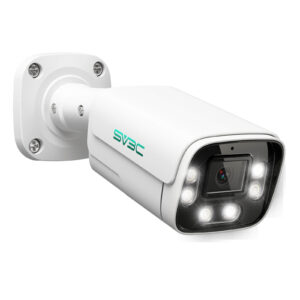
2. SV3C 5MP Wi‑Fi IP Camera Outdoor

The SV3C 5MP Wi‑Fi IP Camera Outdoor steps into your home or business surveillance setup with a bold promise: real peace of mind without the complexity of complicated systems. Designed to capture crisp 5‑megapixel Ultra HD video, this camera blends modern aesthetics with robust functionality — making it perfect for those who want professional‑grade security without spending a fortune. Its Wi‑Fi connectivity ensures flexible placement outdoors, while smart features like two‑way audio, customizable detection zones, and ONVIF compliance let it integrate effortlessly with ZoneMinder and other NVR platforms. Whether you’re watching your driveway, backyard, or office entrance, SV3C brings clarity, convenience, and confidence to every monitoring moment.
Resolution & Video Quality
At the heart of the SV3C camera is its powerful 5MP sensor, delivering high‑resolution video that brings details into crisp focus. Unlike standard 1080p cams, this Ultra HD resolution lets you zoom in without losing clarity — making faces, license plates, and distant details clearly distinguishable. Coupled with advanced image processing algorithms, it adjusts color balance and contrast dynamically, ensuring vibrant footage in a variety of outdoor lighting conditions. This makes it ideal for surveillance scenarios where clarity matters, especially when reviewing footage after an incident. Simply put, its video quality is both reliable and rich, offering reassurance that nothing important goes unseen.
ONVIF & RTSP Compatibility
One of SV3C’s standout strengths is its compliance with ONVIF standards — a feature that matters especially for ZoneMinder users. ONVIF compatibility means the camera can be auto‑detected and easily configured within ZoneMinder without manual tweaking of settings. RTSP streaming support ensures smooth, low‑latency video transmission for live view and recording. Together, these features make integration with third‑party NVR software straightforward, eliminating the frustration many users experience when cameras refuse to talk to their recording system. With SV3C, you’re getting hassle‑free connectivity and smooth performance with your surveillance setup.
PoE vs Wi‑Fi Connectivity
SV3C’s Wi‑Fi design brings tremendous flexibility, especially if wiring is difficult or you don’t want to run cables around your home. Wireless connectivity lets you position the camera exactly where the view is best — without worrying about Ethernet routes. Although it doesn’t support PoE, its wireless link remains reliable across strong home Wi‑Fi networks, providing uninterrupted video streaming with minimal dropouts. For many users, this balance of convenience and performance makes SV3C a top pick for outdoor monitoring, particularly where drilling and cabling are not preferred.
Night Vision & Low‑Light Performance
Darkness shouldn’t equal vulnerability, and SV3C ensures it doesn’t. With powerful infrared LEDs and advanced low‑light algorithms, this camera delivers clear night vision for up to 60‑80 feet — enough to cover most residential and small business perimeters. Whether it’s a quiet suburban night or a dimly lit roadway, the camera adjusts intelligently to maintain visibility. Shadows, foliage, and moving lights don’t confuse it — something users often appreciate when reviewing footage after the sun goes down.
Motion Detection & Smart Alerts
Smart motion detection takes SV3C far beyond being just a recording device — it becomes a proactive guardian. Adjustable motion zones let you focus on areas that matter most, reducing false alerts triggered by pets or passing shadows. When motion is detected, the camera can trigger push notifications, email alerts, or start recording in ZoneMinder instantly. This helps you stay on top of activity in real time — whether you’re at work, on vacation, or simply checking in from your phone. It’s like having a watchful eye that never blinks.
Field of View & Lens Type
The SV3C camera comes equipped with a wide‑angle lens that covers expansive outdoor areas without blind spots. This means one camera can cover large portions of your driveway, backyard, or entrance — reducing the need for multiple cameras in tight applications. The lens also maintains clarity across the frame, minimizing distortion that often blurs edges or distorts perspective. A broader field of view ensures smarter coverage and better situational awareness for your surveillance network.
Build Quality & Weatherproofing
Built to face the elements, the SV3C outdoor camera boasts a rugged, weatherproof housing that stands up to rain, sun, dust, and wind. With an IP66 rating — the gold standard for outdoor security gear — it remains unfazed by storms and seasonal changes. This durability means you can trust it to stay functional in all but extreme environments, providing dependable service year after year.
Brand Reputation & Customer Support
SV3C has grown into a respected brand among DIY security enthusiasts and professionals alike, thanks to cameras that balance affordability with capability. Users often praise SV3C’s ease of setup, customer support responsiveness, and firmware updates that keep features current and secure. Choosing SV3C means choosing a company that not only builds reliable hardware but stands behind it.
Installation Ease & Setup
Setting up the SV3C Wi‑Fi camera is designed to be user‑friendly even for beginners. With intuitive app guidance, QR scan pairing, and straightforward Wi‑Fi setup, you can get the camera operational in minutes. ONVIF compliance further streamlines integration with ZoneMinder and other NVR software, saving you hours of manual configuration. Quick installation plus powerful performance — it’s why many Amazon buyers feel confident recommending this camera to others.
- Crisp 5MP Ultra HD resolution for detailed footage
- Wi‑Fi connectivity for flexible placement
- ONVIF & RTSP support for smooth ZoneMinder integration
- Smart motion alerts reduce false triggers
- Strong night vision for round‑the‑clock monitoring
- No PoE support for wired power
- Slightly limited audio quality
- Motion detection can be overly sensitive in busy areas
3. ENSTER 4K PoE IP Camera

The ENSTER 4K PoE IP Camera redefines what you expect from an affordable surveillance camera. Sporting an ultra‑high 8‑megapixel 4K sensor, this camera delivers stunningly sharp video that turns vague silhouettes into recognizable faces and license plates. PoE (Power over Ethernet) support simplifies installation — one cable handles power and data, eliminating messy adapters and multiple wires. ONVIF compliance and RTSP streaming make it a perfect fit for ZoneMinder users and other third‑party NVR systems, giving you professional‑grade performance without a premium price tag. Built‑in advanced motion detection, durable weatherproof design, and AI‑powered features make this camera an all‑around contender for serious indoor/outdoor monitoring.
Resolution & Video Quality
With 4K Ultra HD resolution, the ENSTER camera delivers video clarity four times sharper than standard 1080p. This means more detail, more accuracy, and more confidence when reviewing footage. Whether it’s monitoring a busy driveway or a quiet backyard, every scene feels immersive and usable. Color fidelity and contrast remain excellent across varied lighting conditions, and the camera’s strong sensor ensures minimal noise even in shade or dusk lighting. For surveillance purposes, this level of detail gives you actionable footage that you can trust — whether you’re checking live or reviewing archived clips.
ONVIF & RTSP Compatibility
Compatibility is where ENSTER truly shines. By adhering to ONVIF standards, the camera integrates seamlessly into ZoneMinder, Blue Iris, or virtually any ONVIF‑friendly NVR setup. RTSP support ensures a smooth, low‑latency video feed, perfect for live monitoring and reliable recording. This means setup isn’t a headache — it’s straightforward, intuitive, and predictable. ZoneMinder users especially appreciate that they can add this camera without wrestling with custom URLs or error‑prone configurations.
PoE vs Wi‑Fi Connectivity
PoE makes deploying the ENSTER camera a breeze for most users. With power and data over a single Ethernet cable, installation becomes cleaner, faster, and more reliable — especially for outdoor placements where a wall outlet might be far away. PoE also tends to provide a more stable connection than Wi‑Fi in busy network environments. For homes or businesses that value stability, performance, and professional installation standards, PoE is a significant advantage that this camera delivers.
Night Vision & Low‑Light Performance
Night vision on this ENSTER camera is exceptional, thanks to advanced infrared LEDs and strong low‑light sensitivity. Even in pitch darkness, the camera can illuminate an entire yard or driveway with clarity. Shadows and contrast are intelligently balanced, so details remain discernible without blinding glare or washed‑out highlights. Whether it’s monitoring late‑night activity or simply keeping an eye on your property while you’re away, this camera ensures nothing important is lost when the sun goes down.
Motion Detection & Smart Alerts
Smart motion detection turns this ENSTER camera into more than just a recording device — it becomes a proactive watchguard. You can customize detection zones to focus on driveways, doors, or other areas, reducing false alerts from irrelevant movement. When motion is detected, alerts can be pushed to your phone or trigger recording on ZoneMinder instantly, keeping you in the loop no matter where you are. It’s like adding a virtual guard that you can check in with at any time.
Field of View & Lens Type
Equipped with a wide‑angle lens, the ENSTER camera offers broad coverage that captures more of your outdoor space with a single unit. This expansive field of view reduces the need for multiple cameras in many scenarios, making it cost‑effective without sacrificing detail. The lens design keeps edges crisp and distortion to a minimum, ensuring you get useful footage across the entire frame — ideal for driveways, entryways, or broad backyard spaces.
Build Quality & Weatherproofing
The ENSTER camera doesn’t just look tough — it performs like it. With an IP66 weatherproof rating, its rugged housing stands up to heavy rain, dust, and extreme temperatures. This makes it suitable for year‑round outdoor placement without fear of degradation or failure. Built with quality materials, it resists corrosion and wear, giving you confidence in long‑term durability.
Brand Reputation & Customer Support
ENSTER has quickly gained a reputation among Amazon buyers as a brand that delivers performance without breaking the bank. Users rave about its picture quality, PoE reliability, and compatibility with third‑party systems like ZoneMinder. Their customer support team is known for responsive assistance, helping with setup questions or troubleshooting. Choosing ENSTER means choosing both a powerful camera and a brand that stands behind its products.
Installation Ease & Setup
Though packed with advanced features, the ENSTER camera remains surprisingly easy to install. Ethernet‑only PoE connection simplifies wiring, and its intuitive instructions help even beginners get started quickly. Once connected, ONVIF allows ZoneMinder and similar systems to auto‑detect it, eliminating manual configuration headaches. Whether you’re a seasoned installer or a first‑time user, getting this camera up and running is a smooth experience.
- Fast printing spe• Stunning 4K Ultra HD resolution
- Stable PoE connectivity for professional setups
- ONVIF & RTSP compatibility for ZoneMinder integration
- Strong night vision and low‑light clarity
- Smart motion detection with customizable zones
- No built‑in Wi‑Fi option
- Requires PoE injector/switch if not included
- Slightly larger housing than some compact cameras
4. Anpviz 4MP PoE IP Turret Camera

The Anpviz 4MP PoE IP Turret Camera brings together simplicity and power in a sleek, unobtrusive design perfect for residential or commercial surveillance. Boasting a crystal‑clear 4‑megapixel resolution, PoE support, and ONVIF compatibility, it’s ready to integrate effortlessly with systems like ZoneMinder. Its turret style makes it easy to mount anywhere — walls, ceilings, or eaves — and delivers a balanced field of view that captures every detail without distortion. Whether you’re securing a front gate, driveway, or retail entrance, Anpviz offers stability, clarity, and dependable performance at an affordable price point.
Resolution & Video Quality
With a 4MP sensor at its core, this camera captures footage that sits comfortably between standard HD and ultra‑high resolution. The result is sharper, more detailed video than typical 1080p cams without the storage demands of 4K. This sweet spot ensures that important features — like people’s faces or car plates — remain recognizable without eating up excessive disk space. Whether you’re checking live feeds or reviewing recordings later, the quality feels vibrant, balanced, and consistent across varying light conditions.
ONVIF & RTSP Compatibility
ONVIF compliance means the Anpviz camera plays well with popular NVR systems like ZoneMinder. This opens the door for automatic detection, simplified setup, and reliable streaming via RTSP. Users often find this integration significantly reduces setup times, eliminating manual URL entries or complex networking tweaks. It’s a major advantage for Amazon buyers who want powerful surveillance without technical headaches.
PoE vs Wi‑Fi Connectivity
As a PoE camera, Anpviz simplifies installation by sending both power and data through a single Ethernet cable. This means fewer wires, cleaner installations, and a more stable connection compared to Wi‑Fi solutions — especially in busy network environments. PoE also increases reliability, reducing dropouts and signal interference. For homes or businesses that value professional installation aesthetics and performance, this camera’s PoE support is a major plus.
Night Vision & Low‑Light Performance
Equipped with advanced infrared LEDs, the Anpviz turret shines even in low‑light conditions. It delivers clear, detailed night footage out to significant distances — making it effective for perimeter security after dark. Thanks to smart light balancing, the camera prevents overexposure near bright lights while keeping darker areas visible. For users needing round‑the‑clock coverage, this enhanced night performance builds confidence and peace of mind.
Motion Detection & Smart Alerts
While basic motion detection is supported, this camera especially shines when paired with NVR systems that handle alerts more intelligently, like ZoneMinder. Combined with customizable detection zones and adjustable sensitivity, it helps reduce false triggers while ensuring that real activity is caught and logged. Whether alerts are sent to your email or viewed through your surveillance dashboard, this feature enhances situational awareness.
Field of View & Lens Type
The turret design isn’t just stylish — it’s functional. The wide‑angle lens captures broad areas without distortion, making it ideal for overseeing gates, yards, or entry points. Edges remain clear and the center crisp, ensuring that footage is useful and easy to analyze if needed. This balanced field of view lets one camera do the job of two in many cases.
Build Quality & Weatherproofing
With a tough build and robust weatherproof casing, this camera stands up well to outdoor elements. Rated for outdoor use, it resists rain, dust, and temperature extremes to provide reliable performance day after day. Its durable design means you can mount it in exposed areas without worry, trusting that it will keep working come rain or shine.
Brand Reputation & Customer Support
Anpviz has earned a solid reputation among DIY security buyers for delivering reliable cameras at accessible prices. Owners frequently praise its build quality and integration ease, especially when paired with systems like ZoneMinder. The brand also provides responsive support and firmware updates, helping users troubleshoot issues or keep their cameras up to date.
Installation Ease & Setup
Thanks to PoE support and ONVIF compliance, installation of the Anpviz camera is straightforward even for first‑time users. PoE eliminates the need for separate power cables, and many NVR systems auto‑detect the camera on first connection. This reduces the time spent configuring IP settings or network tweaks, making the setup experience friendly even for those new to IP surveillance.
- Clear 4MP video quality
- PoE support for stable connections
- ONVIF & RTSP ready for ZoneMinder integration
- Good night vision performance
- Compact, unobtrusive turret design
- Motion detection features depend on NVR software
- No built‑in Wi‑Fi connectivity
- Field of view is wide but not ultra‑wide
5. Anpviz 6MP PoE IP Camera
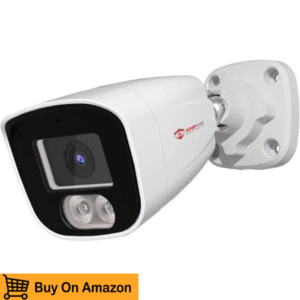
Stepping up the resolution while keeping budget‑friendly pricing, the Anpviz 6MP PoE IP Camera delivers sharp video and reliable performance for everyday security needs. This high‑resolution camera bridges the gap between standard HD and 4K, offering enhanced clarity without overwhelming your storage or network. Equipped with PoE for easy installation, ONVIF/RTSP support for seamless ZoneMinder integration, and advanced weatherproofing for outdoor durability, it’s built for users who demand more detail and more confidence from their surveillance setup. Whether monitoring driveways, patios, or business entrances, this camera turns everyday security into something you can rely on.
Resolution & Video Quality
Boasting 6MP resolution, this camera sits in a sweet spot that delivers sharper footage than typical 1080p or 4MP cameras — without the massive file sizes of true 4K. This enhanced resolution means better recognition of critical details like facial features and distance objects, which can be invaluable during investigations or daily monitoring. The result is footage that feels vivid, immersive, and easier to interpret when reviewing events. Color accuracy remains strong in daylight, and the camera’s processing helps maintain contrast even as lighting changes throughout the day.
ONVIF & RTSP Compatibility
ONVIF support ensures this camera integrates effortlessly with ZoneMinder and other robust NVR ecosystems, auto‑detecting and associating without fuss. RTSP streaming means a stable, direct video feed that works smoothly with your recording software. Users consistently report that ONVIF compatibility eliminates most connectivity headaches, making this camera an ideal choice for anyone building a coordinated multi‑camera system.
PoE vs Wi‑Fi Connectivity
By leveraging PoE, this Anpviz camera simplifies installation significantly. With one Ethernet cable delivering both power and data, you eliminate clutter and avoid relying on nearby power outlets. PoE also provides a reliable, interference‑free connection compared to Wi‑Fi, which can fluctuate in busy network environments. For setups where reliability and performance matter most — particularly outdoor or business installations — PoE continues to be a key advantage.
Night Vision & Low‑Light Performance
This 6MP camera comes equipped with powerful infrared illumination that provides clear night vision coverage even in complete darkness. Combined with strong low‑light sensitivity, it captures more usable detail at night than many competing cameras in its class. Shadows are defined, outlines remain sharp, and contrast holds up — making night‑time monitoring far more reliable. Whether you’re checking after sunset or leaving the property unattended for long hours, this camera helps ensure nothing is missed when light levels drop.
Motion Detection & Smart Alerts
Motion detection capabilities help turn this camera into an active observer rather than a passive recorder. When paired with ZoneMinder or similar systems, customizable detection zones and sensitivity settings help minimize false alarms and focus only on meaningful activity. Alerts can be configured to notify you instantly — giving you peace of mind whether you’re at work or traveling. This proactive approach to surveillance keeps you informed and in control.
Field of View & Lens Type
Equipped with a wide‑angle lens, the Anpviz 6MP camera covers a broad area without significant distortion. This makes it ideal for monitoring larger spaces with fewer cameras, covering gates, driveways, or building fronts with clarity and context. The wide field of view helps ensure that important events don’t occur outside of your camera’s vision, delivering comprehensive coverage without adding extra hardware.
Build Quality & Weatherproofing
Anpviz built this camera to last outdoors. Its robust casing and IP66 weather rating mean it can withstand rain, dust, and temperature swings, making it a reliable choice for year‑round outdoor use. The weatherproof design protects internal components from corrosion and environmental wear, giving you confidence that the camera will perform consistently, no matter the season.
Brand Reputation & Customer Support
Like its 4MP sibling, the 6MP Anpviz camera benefits from a brand reputation focused on reliability and value. Users consistently praise Anpviz products for their ease of installation, dependable performance, and compatibility with popular NVR systems. Customer support and firmware updates bolster confidence, ensuring you’re not left alone if questions arise during setup or operation.
Installation Ease & Setup
PoE support and ONVIF compliance mean installation is both clean and straightforward. A single Ethernet connection simplifies wiring, and many recording systems like ZoneMinder auto‑detect the camera once it’s powered. This eliminates time‑consuming manual configuration, making setup accessible even for first‑time surveillance builders.
- 6MP high‑resolution footage
- PoE for cleaner installation and connection stability
- ONVIF & RTSP ready
- Strong night vision performance
- Wide field of view
- No onboard storage option
- Requires PoE infrastructure
- Some advanced features rely on NVR software
6. Amcrest 5MP Turret POE Camera

The Amcrest 5MP Turret POE Camera is a perfect blend of professional-grade security and user-friendly setup, ideal for both home and small business surveillance. Its turret-style design is compact yet sturdy, allowing discreet monitoring while delivering high-quality video. With 5-megapixel resolution, robust night vision, motion detection, and ONVIF/RTSP support, this camera is designed to integrate seamlessly with ZoneMinder or other NVR systems. Amcrest’s commitment to quality and reliability ensures you get a dependable camera that performs consistently under varying conditions, making it a solid choice for anyone looking to elevate their security system.
Resolution & Video Quality
With 5MP resolution, this camera produces crisp and clear video, providing detailed footage that helps identify faces, license plates, and distant activity. The enhanced image processing balances light and contrast across different times of day, ensuring footage remains sharp and usable in both bright sunlight and low-light conditions. This clarity is especially important for monitoring entrances, driveways, and high-traffic areas, giving homeowners and business owners confidence that no critical detail is missed.
ONVIF & RTSP Compatibility
ONVIF compliance and RTSP streaming allow this camera to integrate seamlessly with ZoneMinder, Blue Iris, and other NVR platforms. This ensures stable video feeds and easy configuration, avoiding common protocol conflicts that frustrate many users. Its open-standard compatibility gives you flexibility to expand your system without being locked into proprietary software, allowing long-term scalability and peace of mind.
PoE vs Wi‑Fi Connectivity
Powered via PoE, the Amcrest camera simplifies installation by delivering both power and data through a single Ethernet cable. This reduces cable clutter, eliminates reliance on Wi-Fi, and ensures more stable connectivity, especially in areas with heavy wireless interference. For outdoor setups requiring reliability and minimal maintenance, PoE is often the preferred solution over Wi-Fi alternatives.
Night Vision & Low-Light Performance
Equipped with infrared LEDs, this turret camera offers strong night vision, capturing clear black-and-white footage in total darkness. Motion, shadows, and details are visible even in low-light conditions, making it ideal for monitoring perimeters, driveways, and other critical areas at night. This reliable performance ensures 24/7 coverage and a strong sense of security for property owners.
Motion Detection & Smart Alerts
The Amcrest camera works seamlessly with NVR software for motion-triggered recording and alerts. Users can define zones and sensitivity levels to focus on meaningful events, filtering out irrelevant movement like passing cars or swaying trees. By combining intelligent motion detection with real-time alerts, the camera ensures you’re immediately informed of potential incidents, enhancing responsiveness and situational awareness.
Field of View & Lens Type
This turret camera offers a wide field of view, covering larger areas per unit and minimizing blind spots. Its lens maintains image clarity across the frame, making distant objects identifiable without distortion. Wide-angle coverage reduces the number of cameras needed for comprehensive monitoring, making it both cost-effective and efficient for residential and small business installations.
Build Quality & Weatherproofing
With an IP66 weatherproof rating, the Amcrest turret camera withstands rain, dust, heat, and cold, ensuring reliable outdoor operation year-round. Its robust housing and mounting hardware feel solid and durable, offering peace of mind that the camera can handle harsh environmental conditions without compromising performance.
Brand Reputation & Customer Support
Amcrest is widely recognized for producing reliable security cameras that balance affordability and performance. Customers praise the brand for consistent quality, responsive technical support, and accessible online resources. With firmware updates and a strong online community, users can maintain optimal performance and troubleshoot any issues efficiently.
Installation Ease & Setup
Installation is straightforward thanks to PoE connectivity and intuitive NVR integration. Once connected via Ethernet, most ONVIF-compatible systems detect the camera automatically, reducing setup time. Clear instructions and quality mounting hardware allow DIY users to quickly achieve professional-grade coverage with minimal effort.
- Crisp 5MP video
- Reliable PoE connectivity
- Wide night vision
- ONVIF & RTSP ready
- Easy ZoneMinder setup
- No Wi-Fi option
- Alerts require NVR software
- Slightly larger design
7. TP‑Link Tapo 1080p Pan/Tilt Wi‑Fi Camera

The TP‑Link Tapo 1080p Pan/Tilt Camera is designed for indoor flexibility, offering smooth pan and tilt functionality to cover wide areas without needing multiple cameras. Its smart features include motion tracking, ONVIF/RTSP compatibility, and mobile app control, making it ideal for home, nursery, or small office monitoring. Tapo delivers a user-friendly experience while providing reliable video quality and real-time alerts, giving you peace of mind that your property and loved ones are under constant watch.
Resolution & Video Quality
With Full HD 1080p resolution, this camera delivers clear and detailed video for indoor monitoring. Faces, pets, and other moving objects are captured accurately, making it easy to identify activity. While not 4K, the Tapo balances high-quality footage with efficient storage usage, ideal for everyday indoor surveillance.
ONVIF & RTSP Compatibility
ONVIF compliance allows the Tapo camera to integrate with ZoneMinder and other third-party NVRs via RTSP streaming. This gives users full control over recording, playback, and monitoring without relying exclusively on cloud services. The open-standard approach ensures privacy and flexibility while maintaining reliable compatibility with professional systems.
PoE vs Wi‑Fi Connectivity
This camera relies on Wi-Fi connectivity, giving users flexibility in placement without running cables. Wireless setup is simple and ideal for indoor spaces where power outlets are available. While Wi-Fi can be subject to interference, the Tapo maintains stable performance in most home networks, providing convenient mobility compared to wired PoE alternatives.
Night Vision & Low-Light Performance
Infrared LEDs allow the Tapo camera to capture clear black-and-white footage in low-light and nighttime conditions. While designed for indoor use, it can monitor dim hallways, rooms, or entryways effectively, ensuring continuous surveillance around the clock.
Motion Detection & Smart Alerts
Motion detection combined with pan/tilt tracking ensures the camera can follow movement across a room, enhancing coverage. Alerts are sent directly to your smartphone, helping you respond quickly to potential incidents. Adjustable sensitivity and motion zones reduce false alarms and allow you to focus on critical activity.
Field of View & Lens Type
The dynamic pan and tilt mechanism offers flexible coverage, virtually eliminating blind spots in a single indoor area. With horizontal and vertical rotation, the Tapo can monitor multiple angles without needing multiple cameras, making it efficient and versatile for home use.
Build Quality & Weatherproofing
As an indoor camera, the Tapo has durable plastic housing and smooth pan/tilt operation. While not weatherproof, the build is solid for everyday indoor placement, ensuring reliable function in rooms and office spaces.
Brand Reputation & Customer Support
TP‑Link is a trusted smart home brand, and the Tapo series benefits from intuitive apps, responsive support, and regular firmware updates. Customer feedback often highlights ease of setup, stable Wi-Fi performance, and smart features, making it a reliable choice for home surveillance.
Installation Ease & Setup
Installation is quick via the Tapo mobile app. Wi-Fi setup is straightforward, with step-by-step guidance for connecting, configuring motion alerts, and integrating with ONVIF-compatible NVRs. Users can have full coverage within minutes, making it ideal for beginners.
- Pan/tilt flexibility
- 1080p clear video
- Wi-Fi wireless setup
- ONVIF & RTSP compatible
- Smart motion tracking
- Indoor only
- Wi-Fi signal can fluctuate
- Lower resolution than 4K
8. SV3C 4K PoE PTZ IP Camera

The SV3C 4K PoE PTZ Camera delivers ultra-high resolution video with pan, tilt, and zoom capabilities, making it perfect for large outdoor spaces and commercial installations. Its PoE connectivity ensures stable performance, while ONVIF/RTSP support allows seamless integration with ZoneMinder. Motion detection combined with PTZ tracking provides real-time monitoring and alerts, offering professional-grade security for anyone needing wide-area coverage with detail.
Resolution & Video Quality
4K Ultra HD ensures stunning detail and clarity, capturing everything from distant faces to fine environmental features. Advanced HDR processing balances exposure in challenging lighting, delivering consistently clear footage for both live monitoring and playback. This makes it ideal for expansive properties, parking lots, or large yards.
ONVIF & RTSP Compatibility
ONVIF standard compliance allows easy integration with ZoneMinder or similar NVR software. RTSP streaming ensures low-latency, stable video for recording or real-time viewing, giving users professional flexibility without being tied to proprietary platforms.
PoE vs Wi‑Fi Connectivity
PoE delivers both power and data through a single cable, simplifying installation and reducing interference risk. Wired connectivity ensures uninterrupted video transmission and reliability, particularly important for outdoor monitoring or high-traffic areas.
Night Vision & Low-Light Performance
Equipped with advanced infrared LEDs and low-light sensors, the SV3C PTZ camera captures clear footage at night or in poorly lit areas. It can illuminate wide outdoor areas, providing confidence that no motion goes unnoticed after dark.
Motion Detection & Smart Alerts
The PTZ functionality enhances motion detection by allowing the camera to follow moving objects automatically. Alerts can be configured through NVR software to focus on critical areas, reducing false positives while keeping you informed of significant events.
Field of View & Lens Type
Pan, tilt, and optical zoom give this camera an extensive field of view. Wide coverage combined with zoom capabilities means fewer cameras are needed to monitor large properties, making it cost-efficient and versatile for expansive sites.
Build Quality & Weatherproofing
Robust weatherproof housing protects the camera from rain, dust, and temperature extremes. The IP66-rated casing ensures reliable outdoor performance, making it ideal for long-term deployment in various climates.
Brand Reputation & Customer Support
SV3C is well-known for providing feature-rich cameras at competitive prices. Customers praise the brand for responsive support and reliable firmware updates, giving users confidence in the product’s long-term performance.
Installation Ease & Setup
PoE installation is straightforward, with most ONVIF-compatible NVRs auto-detecting the camera. Control of pan, tilt, and zoom functions through your NVR interface provides professional-grade monitoring without complex setup.
- 4K ultra-HD video
- PTZ for wide coverage
- PoE stability
- Strong night vision
- ONVIF & RTSP ready
- Higher cost
- Requires compatible NVR
- Larger footprint
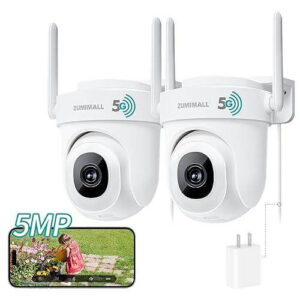
9. ZUMIMALL 5MP Outdoor Camera 2‑Pack
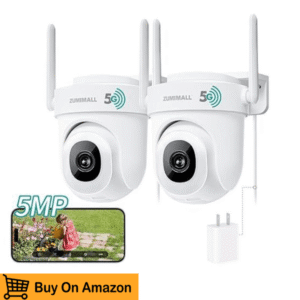
The ZUMIMALL 5MP Outdoor Camera 2-Pack provides double security coverage at a budget-friendly price. These cameras are designed for outdoor monitoring, featuring ONVIF/RTSP compatibility, PoE connectivity, motion detection, and infrared night vision. Perfect for front/back yards, driveways, or entrances, this 2-pack allows users to cover more ground with fewer cameras, making it an excellent value for comprehensive home security.
Resolution & Video Quality
Each camera records in 5MP high-definition, producing crisp, clear footage that captures faces, vehicles, and other details. Image enhancement ensures color and contrast are well-balanced across varying light conditions, making nighttime and daytime recordings equally useful.
ONVIF & RTSP Compatibility
ONVIF and RTSP support allows these cameras to integrate smoothly with ZoneMinder and other NVR systems, enabling recording, monitoring, and alerts without relying on proprietary software. This ensures flexibility and long-term system scalability.
PoE vs Wi‑Fi Connectivity
PoE allows a single Ethernet cable to carry both power and data, reducing installation complexity and ensuring stable connections. Wired deployment avoids interference issues common with wireless setups, delivering reliable performance for outdoor surveillance.
Night Vision & Low-Light Performance
Infrared LEDs provide clear night vision across outdoor areas, helping maintain security 24/7. Intelligent light compensation enhances visibility in shadowed or low-light conditions, capturing useful footage even at night.
Motion Detection & Smart Alerts
Motion detection triggers recording and alerts through compatible NVR software. Users can adjust sensitivity and define detection zones to minimize false alarms and ensure notifications focus on important activity, keeping homeowners informed.
Field of View & Lens Type
Wide-angle lenses deliver broad coverage, reducing blind spots and making each camera more efficient. Dual cameras allow coverage of multiple entrances or outdoor areas without purchasing additional units.
Build Quality & Weatherproofing
IP66-rated housing protects against rain, dust, and extreme temperatures. These cameras are built for outdoor use, ensuring long-term reliability in various climates and weather conditions.
Brand Reputation & Customer Support
ZUMIMALL is known for affordable, dependable cameras. Users report good video quality and easy setup, while responsive customer support helps with troubleshooting, making it a practical choice for cost-conscious buyers.
Installation Ease & Setup
Setup is simple with PoE; ONVIF-compatible NVRs typically auto-detect the cameras. Mounting is straightforward, and the 2-pack bundle provides immediate coverage for key areas with minimal hassle.
- Two cameras included
- 5MP HD video
- PoE stable connection
- ONVIF & RTSP support
- Night vision outdoor-ready
- Requires PoE infrastructure
- Limited smart features
- Alerts need NVR
How to Choose the Best Camera for ZoneMinder | Ultimate Guide 2026
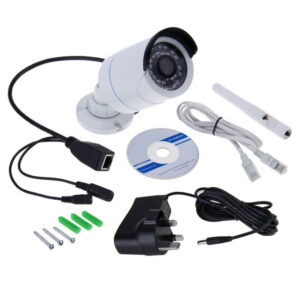
Choosing the right camera for your ZoneMinder setup isn’t just about picking the most expensive model—it’s about finding one that fits your unique security needs. From home monitoring to office surveillance, a camera’s features can make or break your experience. Understanding the essential specifications ensures seamless integration, crisp footage, and reliable performance, giving you peace of mind knowing your property is well-protected. Whether you’re a tech-savvy user or a beginner setting up your first NVR system, these key features will guide you toward the perfect ZoneMinder-compatible camera.
Resolution & Frame Rate
A camera’s resolution and frame rate are critical for capturing sharp, usable footage. Full HD 1080p or 4K Ultra HD ensures every detail—from faces to license plates—is clear, while frame rates of 15–30 FPS provide smooth motion, reducing blur for moving objects. High-resolution video is especially important when monitoring busy driveways, entrances, or outdoor perimeters where clarity can make all the difference in identifying activity.
Night Vision / IR LEDs
Reliable night vision is a must-have for 24/7 surveillance. Cameras with infrared (IR) LEDs can see in low-light conditions or total darkness, ensuring your property remains monitored even when streetlights are dim. Look for models that automatically adjust brightness and contrast to maintain clear visibility without overexposure or glare, giving you round-the-clock security.
PoE vs Wi-Fi
Power over Ethernet (PoE) and Wi-Fi each have their benefits. PoE cameras deliver both power and data through a single cable, offering stable connections and less interference—ideal for outdoor setups. Wi-Fi cameras, on the other hand, provide installation flexibility without running long cables, perfect for indoor monitoring or temporary setups. Choosing the right option depends on your property layout and reliability needs.
Field of View (FOV)
A wide field of view lets a single camera cover more area, reducing blind spots and the number of cameras required for full coverage. Some cameras offer adjustable lenses or pan/tilt options for flexible angles, while others focus on narrow, detailed monitoring of specific zones. Consider how much space you need to monitor and whether wide-angle coverage or precise focus is more important.
Outdoor Rating (IP66/IP67)
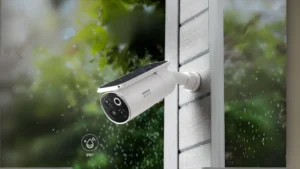
Weatherproofing is essential for outdoor cameras. IP66 and IP67-rated models resist rain, dust, and extreme temperatures, ensuring long-term durability in all climates. A camera’s build quality protects it from environmental wear and tear, giving you reliable security without constant maintenance or replacement concerns.
ONVIF / RTSP Support
ONVIF compliance and RTSP streaming are crucial for seamless integration with ZoneMinder. Cameras supporting these standards allow hassle-free configuration, stable video feeds, and full control over recording and playback. Open-standard support prevents compatibility headaches and future-proofs your surveillance system as you expand or upgrade your setup.
Video Codec Support
Efficient video codecs like H.264, H.265, and MJPEG reduce storage requirements while maintaining high-quality footage. H.265, for example, offers significant bandwidth savings without sacrificing resolution, making it ideal for multi-camera systems. Understanding codec support ensures your recordings remain high-quality while minimizing network strain.
Motion Detection & Analytics
Smart motion detection allows cameras to trigger alerts and recording only when activity occurs. Advanced analytics can identify people, vehicles, or unusual movement, reducing false alarms from animals or shadows. These features make monitoring more efficient and responsive, allowing you to focus on important events instead of sifting through hours of unnecessary footage.
Firmware & Support
Regular firmware updates and responsive customer support are vital for long-term reliability. Cameras with active development receive bug fixes, security patches, and compatibility improvements, ensuring your system continues to function smoothly over time. Investing in a supported brand protects your ZoneMinder setup and prevents frustrating downtime.
Choosing a ZoneMinder camera with the right combination of resolution, night vision, connectivity, and analytics ensures you get a system that’s reliable, scalable, and effective. By focusing on these key features, you’ll enjoy smooth integration, high-quality monitoring, and peace of mind knowing your property is always protected.
How to Connect Your Camera to ZoneMinder
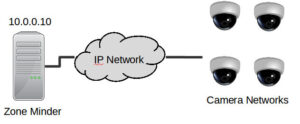
Setting up your camera with ZoneMinder doesn’t have to be complicated. With the right approach, you can have a fully functional surveillance system up and running in no time. Whether you’re using a professional IP camera or a budget-friendly model, understanding RTSP streams, ONVIF protocols, and ffmpeg configurations ensures smooth integration and reliable video feeds. By following a few simple steps, you can enjoy real-time monitoring, motion detection, and secure recording without technical headaches.
Step-by-Step RTSP Setup
The easiest way to connect most IP cameras to ZoneMinder is via RTSP (Real-Time Streaming Protocol). First, locate your camera’s RTSP URL, usually provided in the manual or via the manufacturer’s app. In ZoneMinder, add a new monitor, select the “Remote” source type, and paste your RTSP link. Configure the stream’s resolution and frame rate to match your camera settings, then save. ZoneMinder will pull the live feed, allowing you to see real-time video instantly. Using RTSP ensures low-latency streaming and stable connectivity, whether for indoor or outdoor surveillance.
Configuring ONVIF-Enabled Cameras
For cameras supporting ONVIF, integration becomes even more seamless. ONVIF standard allows ZoneMinder to automatically detect compatible cameras on your network, simplifying setup. Enable ONVIF on your camera’s interface, then add the camera in ZoneMinder using the ONVIF auto-discovery option. This lets you manage PTZ controls, motion zones, and camera settings directly from the ZoneMinder dashboard. ONVIF support is especially helpful when you have multiple cameras, as it reduces manual configuration and ensures compatibility across different brands.
Tips on ffmpeg Source Type Selection
ZoneMinder relies on ffmpeg to handle video streams efficiently. Choosing the right source type is key for smooth playback and recording. For most IP cameras, selecting “Remote FFMPEG” allows ZoneMinder to decode RTSP streams reliably. If your camera uses MJPEG or H.264, confirm that the ffmpeg settings match the codec to prevent lag or frame drops. Adjusting buffer sizes and frame intervals can also optimize performance, ensuring crisp, uninterrupted video even in high-traffic areas.
Testing Streams via VLC or ffmpeg
Before finalizing your setup, it’s smart to test your camera stream using VLC Media Player or ffmpeg. Paste the RTSP link into VLC to verify the feed, check for latency, and ensure night vision or motion detection functions are working. This step helps troubleshoot any connectivity issues before ZoneMinder records, saving you time and avoiding frustration. Once the stream works in VLC, integration with ZoneMinder is typically smooth and reliable.
Connecting your camera to ZoneMinder is straightforward when you understand the steps and key protocols. With RTSP streaming, ONVIF compatibility, proper ffmpeg configuration, and pre-testing via VLC, you’ll enjoy a seamless, professional-grade surveillance system. Whether monitoring a home, office, or larger property, these best practices ensure your cameras perform reliably, providing clear video and actionable alerts around the clock.
Best Practices for ZoneMinder Surveillance
Running a reliable ZoneMinder surveillance system goes beyond just installing cameras—it’s about optimizing performance, managing storage, and fine-tuning settings so your security setup works efficiently 24/7. Whether you’re monitoring a single entryway or multiple outdoor areas, following best practices ensures crisp video, quick alerts, and long-term system reliability. From CPU optimization to motion detection tuning, these strategies help you get the most out of your ZoneMinder-powered security system.
Optimizing CPU and Bandwidth for Multiple Camera Streams
Streaming multiple cameras simultaneously can strain your server’s CPU and consume significant bandwidth. To prevent lag and dropped frames, consider lowering resolution or frame rates for less critical cameras while keeping key areas in high-definition. Using H.265 or MJPEG codecs reduces bandwidth usage, and configuring your network for wired PoE connections instead of relying solely on Wi-Fi improves stability. Balancing resolution, frame rate, and codec efficiency ensures smooth playback and uninterrupted monitoring, even with several cameras active.
Storage Management – HDD, Cloud Storage, Retention Policies
Managing storage is critical for long-term surveillance. High-resolution streams can quickly fill up hard drives, so plan your storage strategy carefully. Use large-capacity HDDs or NAS systems, and consider cloud storage for remote backup. Implement retention policies to automatically overwrite old footage after a set period, freeing up space and keeping your system efficient. By managing storage proactively, you can maintain continuous recording without running into space issues or losing critical footage.
Motion Detection Tuning to Avoid False Alarms

Motion detection is one of ZoneMinder’s most powerful features, but poor configuration can lead to false alarms from passing cars, animals, or shadows. Define motion zones carefully, adjust sensitivity levels, and enable object filtering where possible. By fine-tuning these settings, your cameras trigger alerts only for meaningful events, saving you time and helping you focus on actual security incidents rather than chasing false positives.
Regular Firmware Updates for Camera and ZoneMinder
Keeping both your cameras and ZoneMinder software up to date is essential for security and performance. Firmware updates often include bug fixes, security patches, and feature enhancements that improve system stability. Regularly checking for updates ensures compatibility with new cameras, reduces vulnerability to hacks, and keeps your surveillance system running smoothly over time.
Following these best practices transforms your ZoneMinder setup from a basic camera network into a professional, reliable surveillance solution. Optimized CPU usage, smart storage management, precise motion detection, and up-to-date firmware work together to provide clear, dependable video monitoring and peace of mind knowing your property is always protected.
FAQs
Which cameras work best with ZoneMinder?
ZoneMinder works best with IP cameras that support ONVIF and RTSP streaming, as these standards ensure smooth integration. Popular brands like Axis, Hikvision, Amcrest, Reolink, TP-Link, D-Link, and Foscam are widely compatible. Choosing cameras with high-resolution video, night vision, motion detection, and reliable connectivity will make your ZoneMinder setup efficient and future-proof.
How to set up an IP camera with ZoneMinder via RTSP?
To set up an IP camera via RTSP, first find your camera’s RTSP URL in its manual or app. In ZoneMinder, create a new monitor, select “Remote FFMPEG” as the source type, and paste the URL. Configure the resolution and frame rate to match your camera’s capabilities. Testing the stream with VLC or ffmpeg before final setup ensures the feed works smoothly without lag or dropped frames.
Are PoE cameras better than Wi-Fi cameras for ZoneMinder?
PoE (Power over Ethernet) cameras are generally more reliable for ZoneMinder, especially for outdoor surveillance or multiple camera setups, because they provide both power and data through a single cable, reducing network interference. Wi-Fi cameras offer flexibility and easier placement indoors but can experience signal drops or latency, especially with multiple streams.
What resolution and frame rate are ideal for surveillance?
For most ZoneMinder setups, 1080p at 15–30 FPS provides a balance between video clarity and storage efficiency. If you need more detail for identifying faces or license plates, 4K resolution is ideal, but it requires more CPU power and storage. Adjusting frame rate and resolution according to the monitored area ensures smooth performance without overloading your server.
Can ZoneMinder handle 4K streams without performance issues?
ZoneMinder can handle 4K streams, but it depends on your CPU, RAM, and network bandwidth. Using H.265 or MJPEG codecs can help reduce processing load. For multiple 4K cameras, a powerful server or separate NVR hardware may be needed to maintain smooth playback and recording without dropped frames.
Are ONVIF cameras required for ZoneMinder compatibility?
ONVIF cameras are not strictly required but are highly recommended. ONVIF ensures automatic detection, PTZ control, and reliable RTSP streaming, making integration easier. Cameras without ONVIF can still work but often require manual configuration and additional troubleshooting.
How do I optimize ZoneMinder for multiple cameras?
To optimize ZoneMinder for multiple camera streams, balance resolution and frame rate, use PoE connections where possible, and consider H.265 compression to reduce bandwidth. Efficient storage management and motion detection zones also help prevent server overload and maintain smooth performance across all feeds.
How can I reduce false motion detection alerts?
Adjust motion detection zones and sensitivity levels in ZoneMinder to focus on critical areas. Exclude trees, streetlights, or busy roads from detection zones. Some cameras with built-in person or vehicle detection can filter false alarms further, ensuring alerts are meaningful and actionable.
What storage options work best with ZoneMinder?
ZoneMinder supports local HDDs, NAS, or cloud storage. Using large-capacity drives or network-attached storage ensures continuous recording. Setting retention policies to overwrite old footage helps manage storage efficiently, especially with high-resolution or 4K cameras.
Can I access ZoneMinder remotely?
Yes, ZoneMinder supports remote access through its web interface or mobile apps. Ensure your network allows secure port forwarding or VPN access. Using cameras with RTSP or ONVIF streaming makes remote monitoring seamless while keeping your system secure.
Do I need a separate NVR for ZoneMinder?
ZoneMinder itself functions as a software NVR, so a separate hardware NVR isn’t required. However, for large multi-camera setups with 4K streams, a dedicated server or high-performance NAS can improve stability, reduce CPU load, and ensure uninterrupted recording.
Which video codecs are supported in ZoneMinder?
ZoneMinder supports H.264, H.265, and MJPEG, allowing compatibility with most IP cameras. H.265 is ideal for high-resolution cameras, as it reduces bandwidth and storage usage, while MJPEG offers simplicity but uses more storage. Choosing the right codec optimizes performance and resource usage.
How do I test my camera stream before adding it to ZoneMinder?
Testing your camera stream in VLC Media Player or ffmpeg allows you to confirm connectivity, resolution, and frame rate before integrating it with ZoneMinder. This step helps troubleshoot any RTSP or codec issues, ensuring the camera works reliably once added to your system.
Can I use Wi-Fi cameras outdoors with ZoneMinder?
Wi-Fi cameras can be used outdoors, but their signal strength and reliability may be affected by distance, walls, or interference. For long-range or mission-critical outdoor monitoring, PoE cameras are recommended for stable connectivity and continuous recording.
How often should I update ZoneMinder and camera firmware?
Regular updates are crucial for security and performance. Update ZoneMinder and your cameras whenever new firmware is released to fix bugs, enhance features, and maintain compatibility. Staying current helps prevent vulnerabilities and ensures smooth integration with multiple devices.